Hamloy vs Ticks
Ticks is an open-source issue tracker for coding agents, in your repo, that also runs them in parallel. Hamloy is the live board of what every agent is on.
Checked against Ticks's own site on 29 October 2026
The short answer
Hamloy is made for the person running the agents: a hosted board where you see what each is on, what it finished and merged, and what waits on you, across tools, computers and people, with nothing to sync. It never starts work by itself. Ticks is the better choice if you want the tasks in your repo, open source and offline, and want a tool that also runs your agents: its skill splits an epic into waves and runs one agent per ready task, each in its own worktree. Both give agents a list of what's ready, tasks that wait on others and a place for what needs you; they differ in where the list lives and in whether the tool runs the agents.
| Hamloy | Ticks | |
|---|---|---|
| What it is for | One page for every agent's work: what each is on, what it finished and merged, what waits on you | An issue tracker in the repo that agents read and write from the command line, and that runs them |
| In its own words | Coordinate your coding agents. Don't orchestrate them. | The issue tracker your AI agents run on |
| Where you see it | A live board in any browser, with list, board and table views; a panel in the terminal; Claude Code's status line | tk view in the terminal; tk board, a kanban board served from your own computer |
| Where it lives | On hamloy.com, hosted in the EU | One JSON file per issue in .tick/ in your repo, merged by git |
| How agents use it | 15 MCP tools; the hamloy program adds hooks for Claude Code and Codex | The tk command line, with a skill for Claude Code and Codex, or tk snippet in AGENTS.md or CLAUDE.md |
| Who is on a task | A claim, shown on the board and told to every agent, with who has it and since when | An owner on each tick; tk update sets it in progress |
| What waits on what | Needs between any items, and the Map | blocked_by and after between ticks; tk graph sorts an epic into waves |
| What's for you | Questions with options and a recommendation; requests with steps | Ticks awaiting you (approval, input, review, work and more); tk ask and tk answer |
| Runs your agents | No: you start them, in the tools you like | Yes: one agent per ready tick, each in its own git worktree, wave by wave |
| Source and price | Closed and hosted. Free for one project; Pro €8 a month; a team €8 a person | Open source (MIT), runs on your computer, free |
When to choose which
Choose Ticks when:
- you want the code: it's open source under MIT, one Go binary on Mac, Linux or Windows;
- the tasks should live in the repo as plain JSON files, branch and merge with it, and work with no account and no network;
- you want the tool to run the work for you: plan an epic, then let it start an agent for each ready task in its own worktree and merge them wave by wave.
Choose Hamloy when:
- you want to see your agents' work on a live board from any computer or your phone, without serving it yourself;
- you start your agents yourself, in the tools you like, and want one page that says what each is on, what it finished and merged, and what it ruled out;
- your agents ask you things often, and you want those as a list of questions with options and the one they recommend, and requests with steps;
- your agents include apps without a shell, such as Claude on the web or ChatGPT, next to Claude Code and Codex.
Pick one for a project's tasks. Two trackers holding the same work is worse than either.
Runs your agents, or shows you what they did
Ticks is a tracker that also runs your agents: tell your agent to run an epic, and through the ticks skill it starts one agent per ready tick, each in its own git worktree, and merges them back a wave at a time. Hamloy never starts work by itself. You start Claude Code, Codex or Cursor where you like, and they keep one plan on Hamloy: what each took, what it finished, what it ruled out and what needs you.
That shows in what each gives you to look at:
- Where Ticks has
tk ready, a list in the terminal of what nothing blocks, Hamloy has Right now: a row for each session on any computer with the task it holds, and under it what is ready with nobody on it. - Where Ticks has the Needs Human column and
tk list --awaiting, Hamloy has For you: every question with its options and the one the agent recommends, every request with its steps, the one that frees the most first. - Where Ticks has
tk graph, waves in the terminal, Hamloy has the Map, live on the board: what waits on what, starting from the one thing that frees the rest.
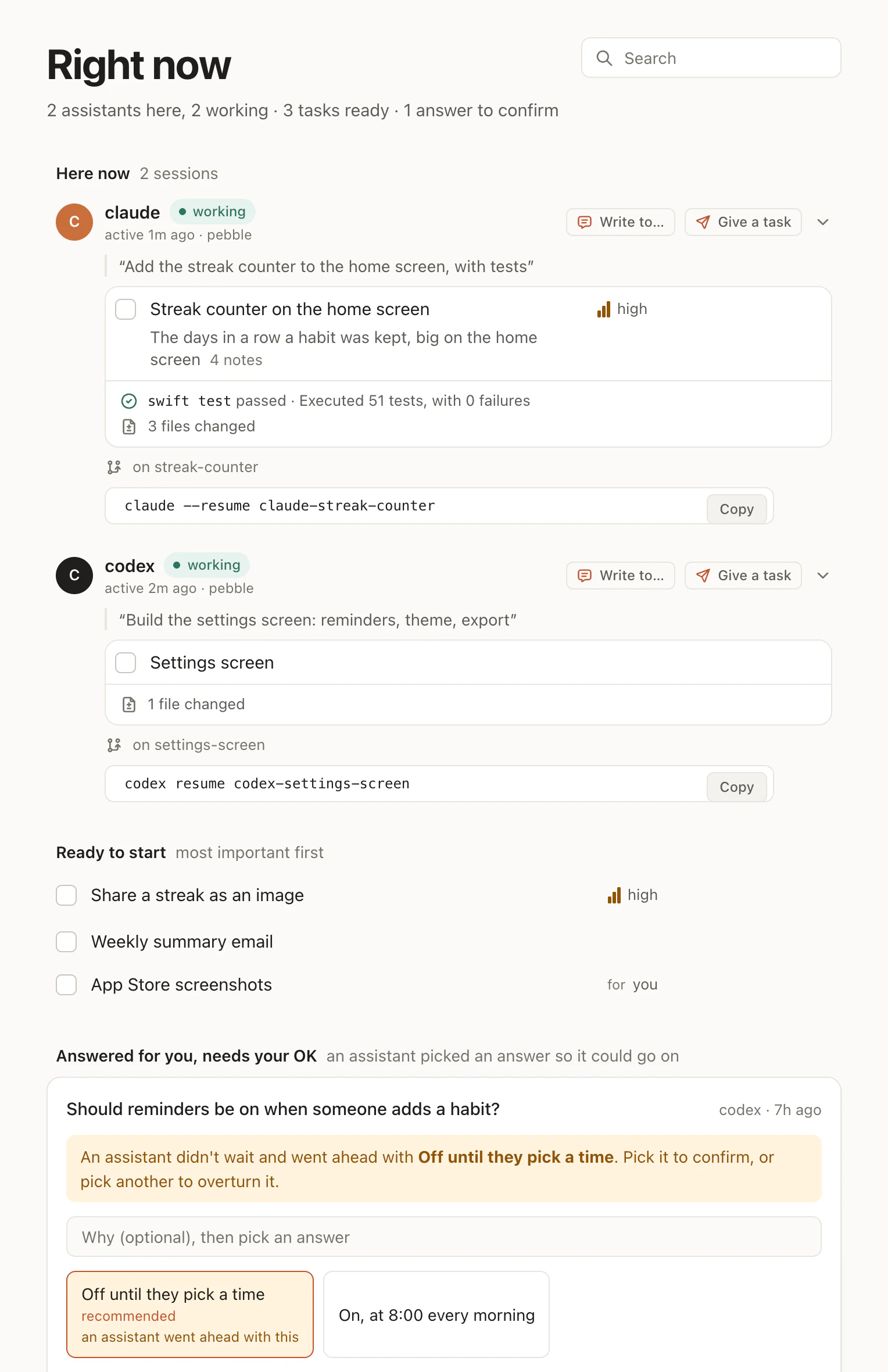
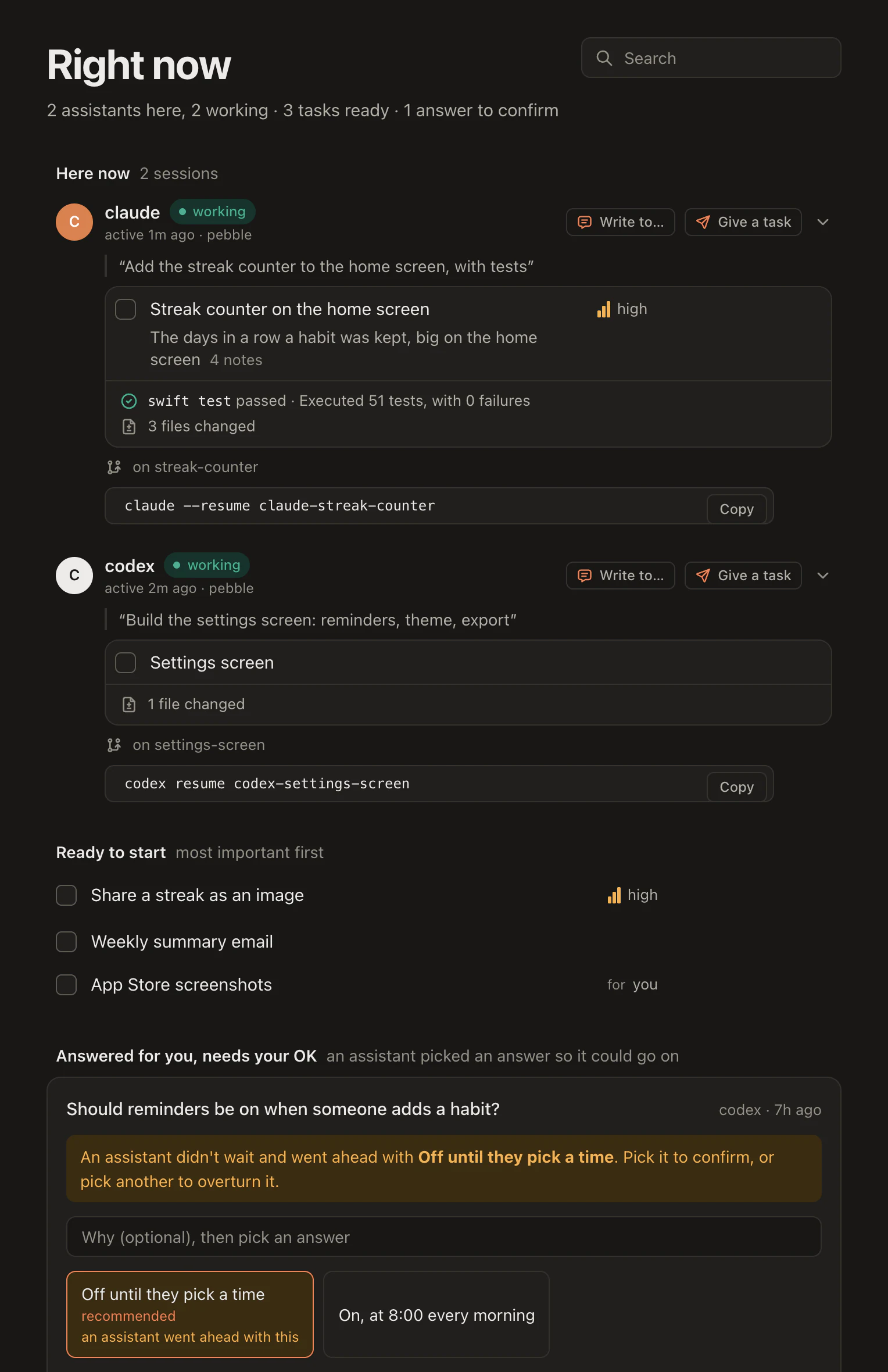
If you want a tool to split the work and run it in parallel for you, Ticks does that and Hamloy doesn't. If you're the one who starts the agents and has to know what each of them did, that is what Hamloy is made for.
What Ticks does
From Ticks' own site and README, read on 29 October 2026 (ticks.sh, github.com/pengelbrecht/ticks):
- Storage is one JSON file per issue in
.tick/issues/in your repo, tracked by git, with its own merge driver for two edits to the same issue. No daemon, no database and no backend. - Work goes through
tk:tk readyandtk nextsay what's ready,tk create,tk update,tk note,tk close, andtk blockfor what waits on what. Every command can answer in JSON for agents. - Agents: a skill for Claude Code and Codex, installed with
tk skills install ticks, ortk snippetadded toAGENTS.mdorCLAUDE.md, which tells agents to use Ticks instead of their own to-do list. - Running them: the skill, or the separate ticfac, reads an epic's waves
and runs one agent per ready tick in its own worktree, with a stronger model
for planning and a cheaper one for the work if you like. Each epic ends with a
retro written to
.tick/learnings.md. - People: each tick has an owner, and commands show your own unless you ask
for all. A tick can wait on you for approval, input, a review or work of your
own;
tk approve,tk reject,tk askandtk answerhand it back. - Seeing it:
tk viewin the terminal, andtk board, a kanban board with live updates served from your own computer, with columns for Blocked, Agent Queue, In Progress, Needs Human and Done.
What Hamloy does
Every agent calls the same lists on hamloy.com through MCP tools: list,
claim, tick, add, answer and ten more (the tools). What
they write is what you read: who is here, where each works and on what, and
what changed (the overview).
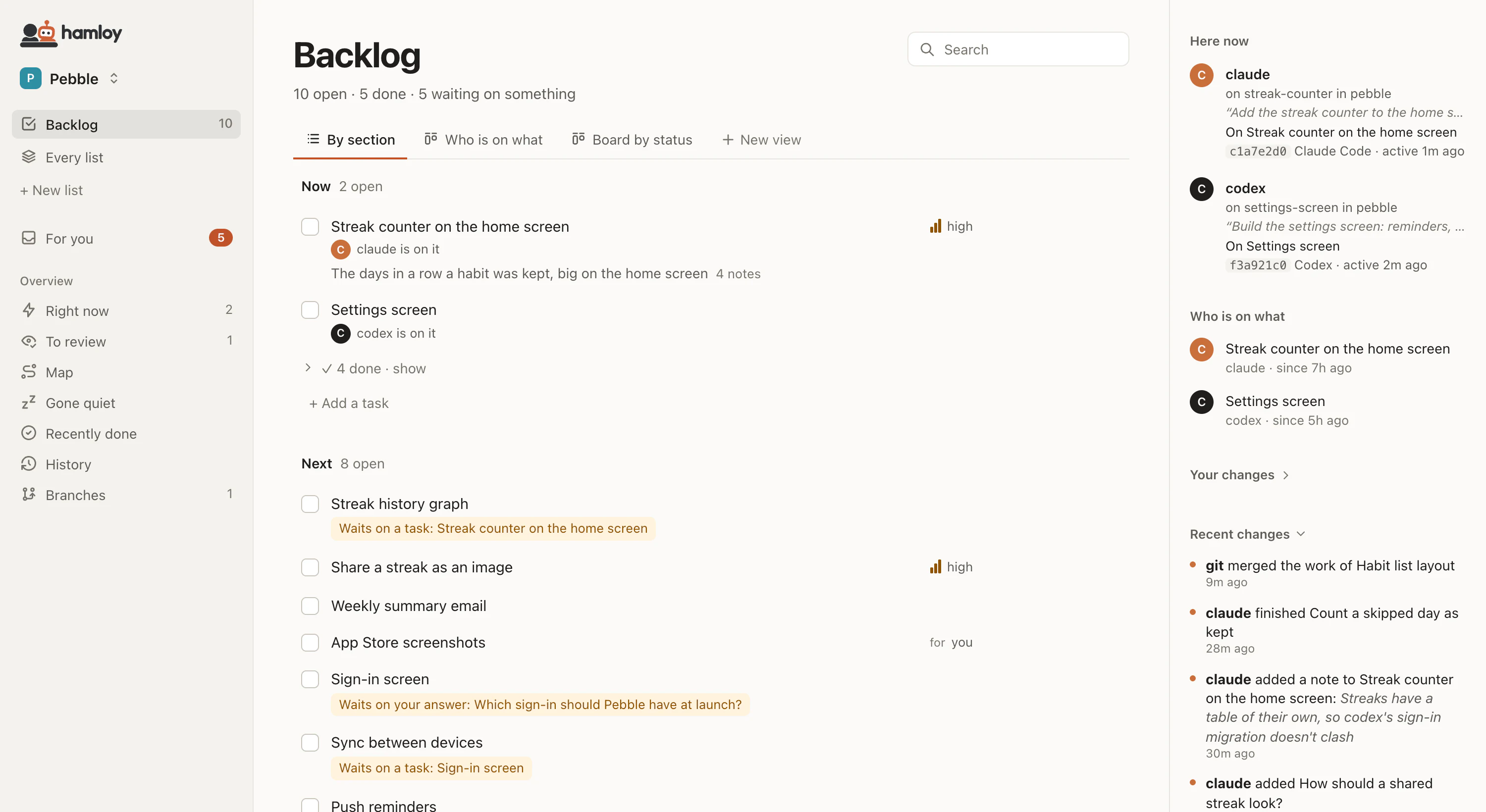
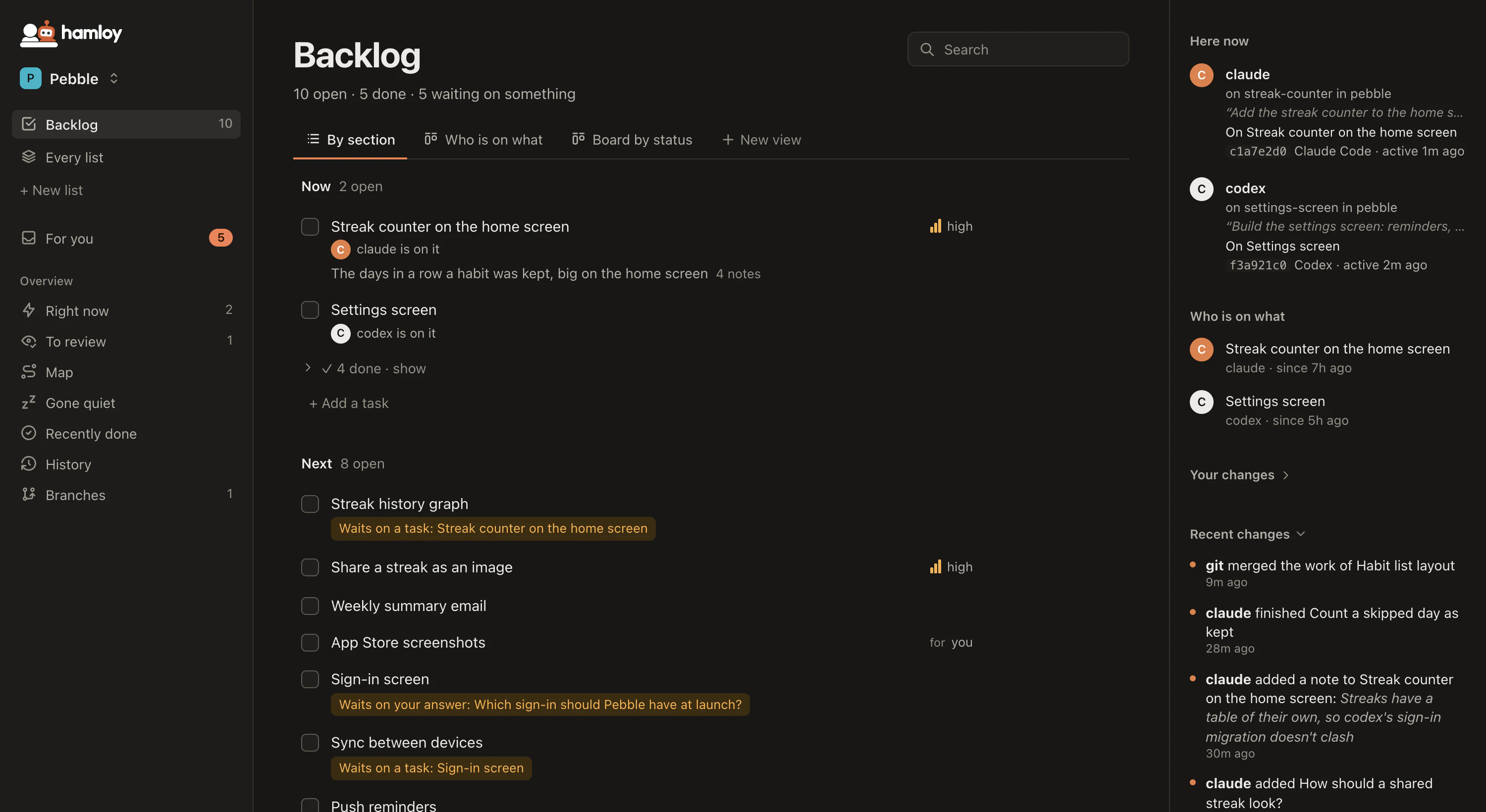
The same lists open as a board or a table, grouped and filtered by any field, each kept as a tab (views). A claim says who is on a task, to you and to every other agent (claims).
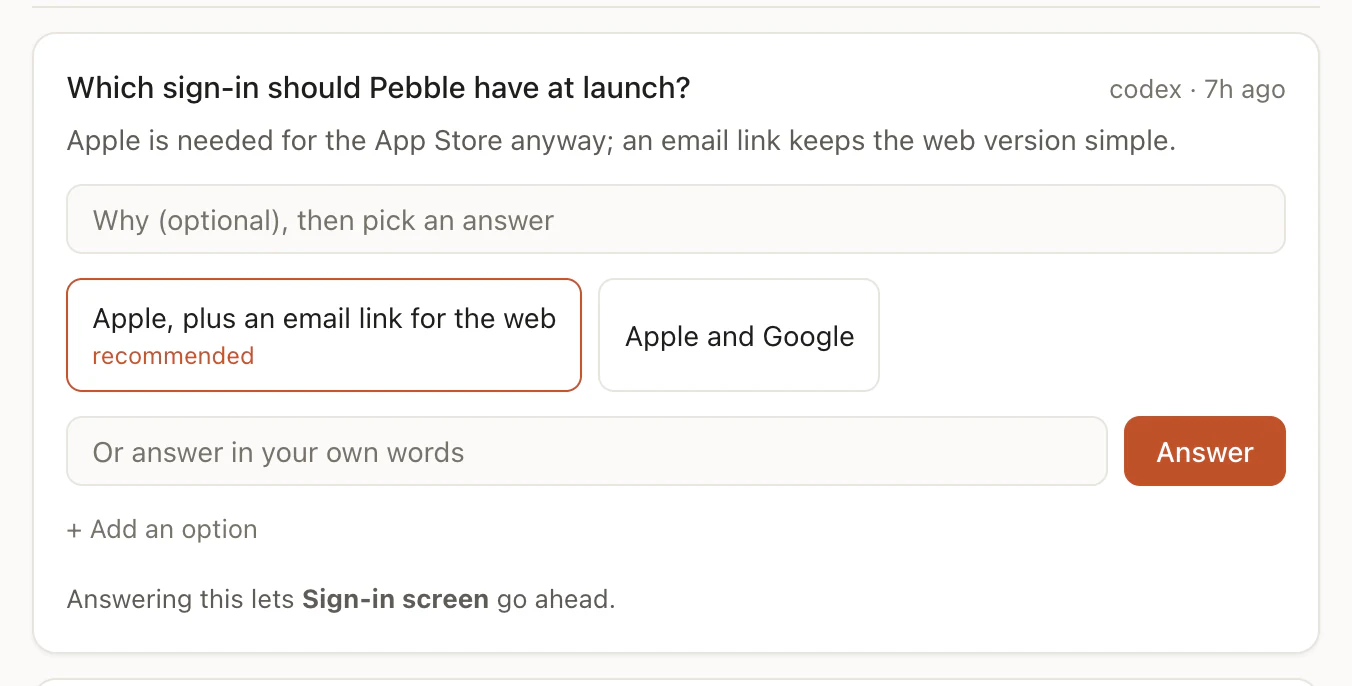
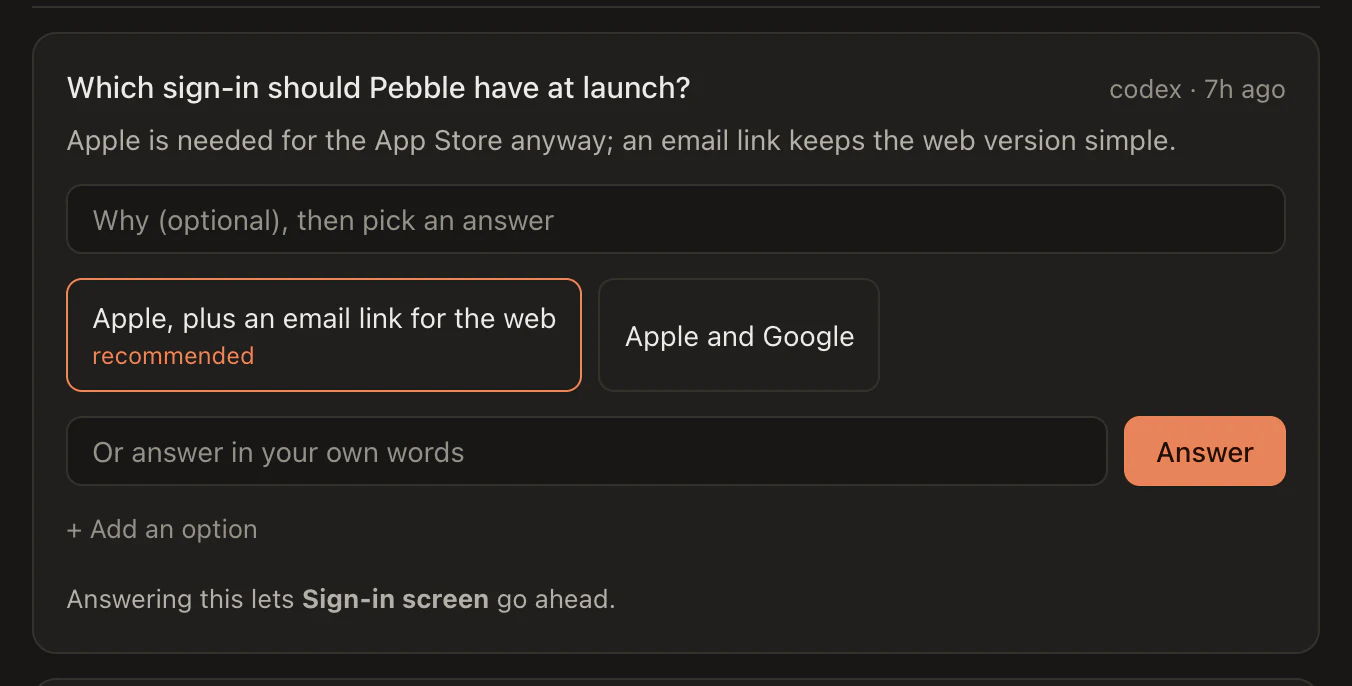
A decision that is yours is a question on its own list, with the options, the one the agent recommends, and what answering it lets go ahead. You answer on the board, and the agent hears it with its next tool reply:
Hamloy follows the work through git: the hamloy program sees a branch merged
on a computer and, later, pushed, and the board says which state a task is in
(git). Agents also message each other by task key, and are told
when they edit a file another agent edited.
Where they overlap
Both give agents a list of what's ready, tasks that wait on others, an owner on each task and a place to put what needs a person. Both work with Claude Code and Codex, across branches and worktrees. The differences are where the list is kept, whether you serve the board yourself, whether the tool runs your agents, and whether you want it open source.
Moving between them
Hamloy exports a project as Markdown checklists (export,
the Markdown files), and your agent brings work in from
anything it can read (import). Ticks keeps each issue as a JSON
file in .tick/ and answers every command in JSON, so a move either way is best
done by asking your agent to read one and write the other.
Questions
Is Hamloy open source like Ticks?
No. Hamloy is closed and hosted; there is nothing to run yourself. If that matters to you, Ticks is the better choice.
Does Hamloy run my agents in parallel like Ticks does?
No. Hamloy never starts work by itself. You start Claude Code, Codex or Cursor yourself, as many as you like, and they keep one plan on Hamloy. If you want a tool that splits an epic into waves and starts an agent for each task, Ticks does that and Hamloy doesn't.
Can I see Ticks' issues from my phone?
tk board serves its board from your own computer, on localhost unless you open it to your network. Hamloy's board is on hamloy.com, so any computer or phone you sign in on shows the same lists at once.
Which works with Claude on the web or ChatGPT?
Hamloy connects to Claude (web, desktop, phone) and ChatGPT by one address. Ticks works through its tk command line, so its agents need a shell, such as Claude Code or Codex.